How do I log in?
Accessing your Brenda Camilleri Casting profile is simple. Whether you are an adult background artist or a parent managing a child's profile, follow these straightforward steps to log in, update your details, or respond to casting requests.
Step-by-Step Login Instructions
1. Go to the Website
Visit our official homepage at brendacamillericasting.com. Since you’re in this page, you’re already in the right place.
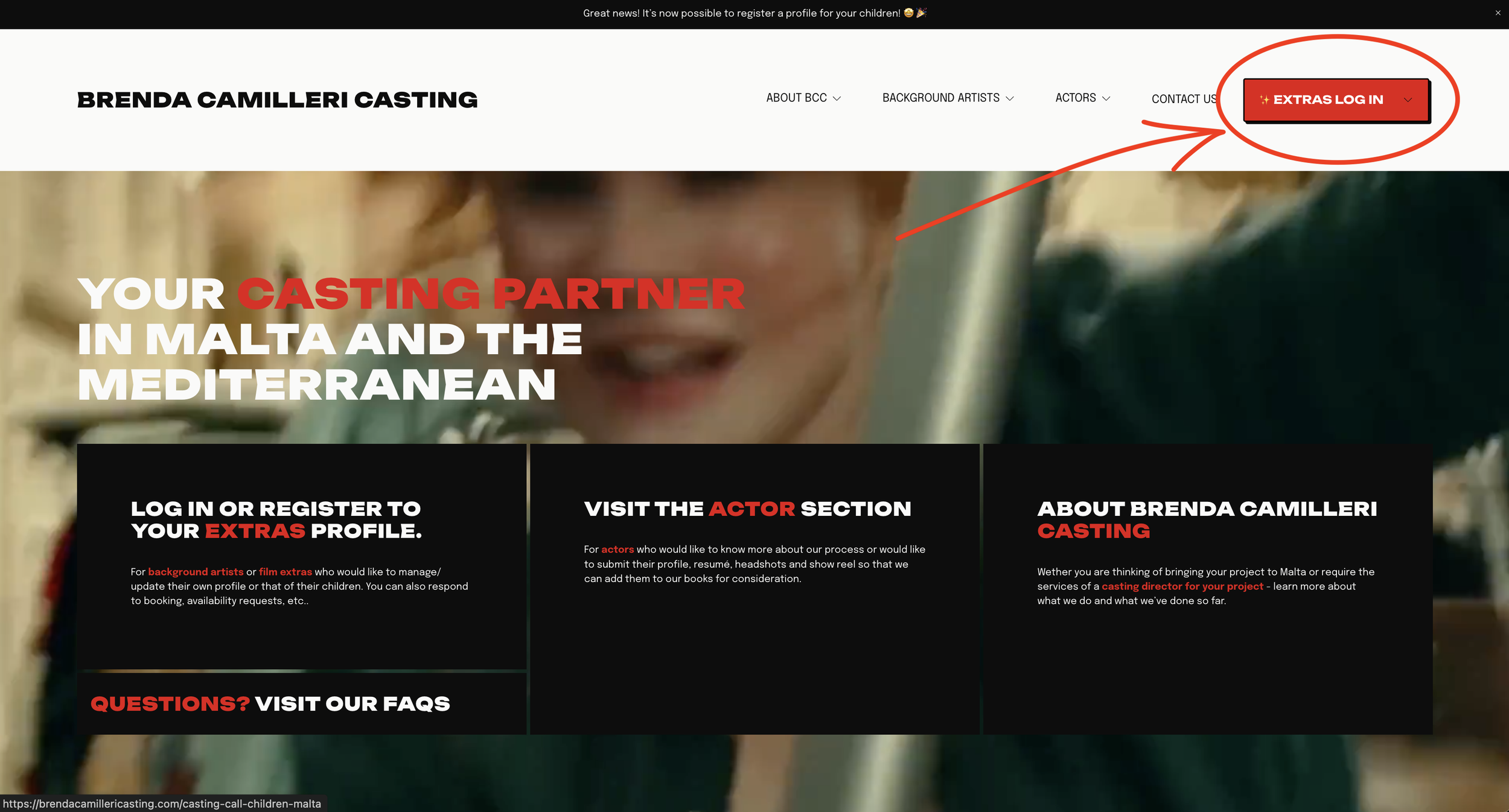
2. Click the Login Button
Locate and click the red EXTRAS LOG IN button positioned in the top right corner of the page. (see screenshot below) It’s at the top right corner of this very page.
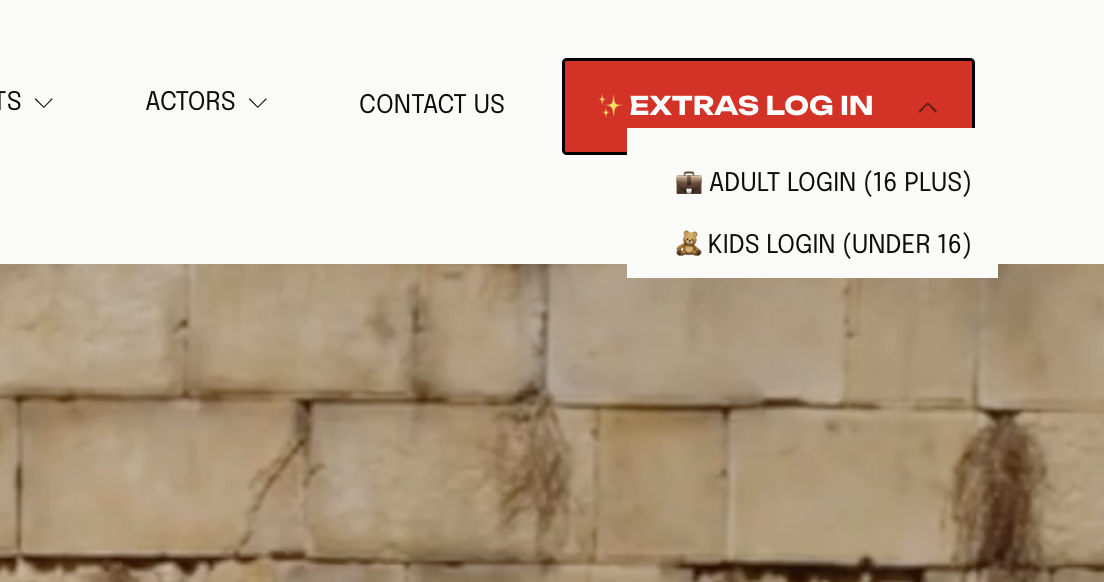
3. Choose the appropriate section based on the age of the talent
Choose Adult Login for talent aged 16 and over.
Choose Kids Login to manage profiles for children under 16.
Visual Check: To ensure you are in the right place, remember that the Adult version features a dark blue design, while the Kids version is light blue. (screenshots below)
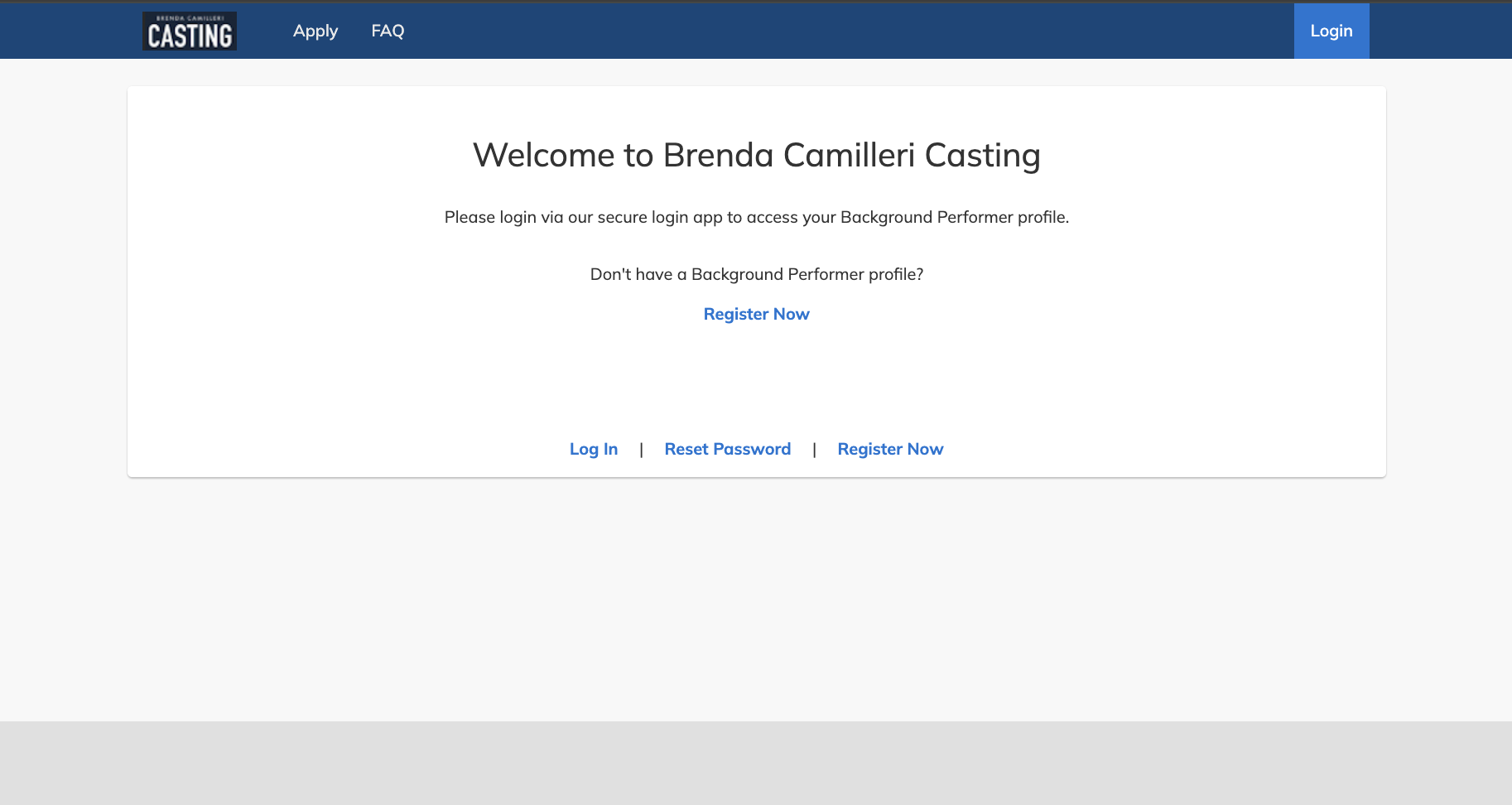
The Adult Version
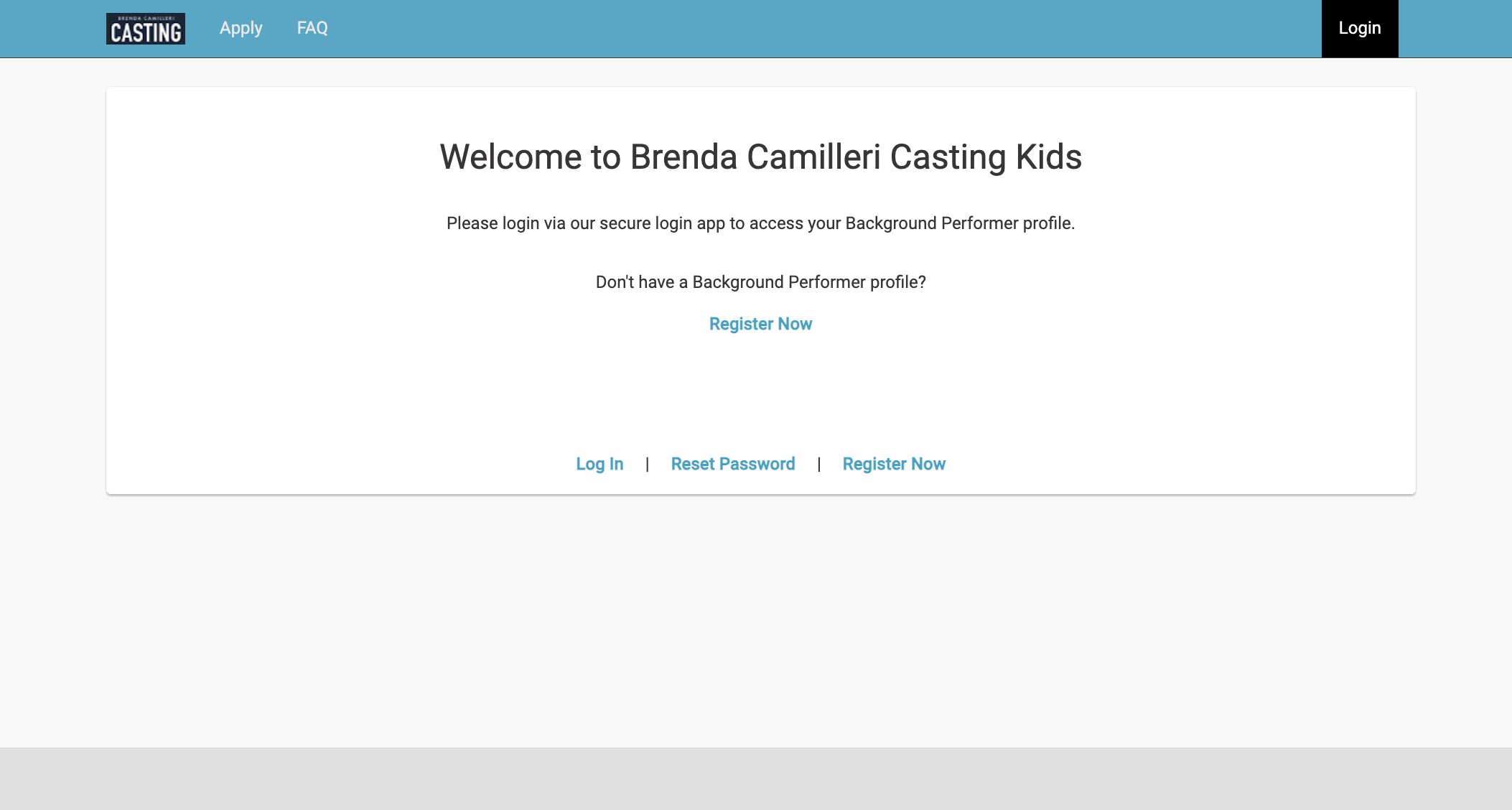
The Kids Version
4. Enter Your Credentials
Click on Log In within the selected version (Adult or Kids). Enter the email address and password you used to register your account.
5. Complete Security Verification (MFA)
Enter your Multi-Factor Authentication (MFA) security code. This is a unique 6-digit code sent to you via SMS or generated by your chosen Authenticator app.
6. Access Your Dashboard
Once the code is accepted, you are successfully logged in! You can now update your photos, adjust your measurements, or respond directly to any active casting requests you have received.
Troubleshooting & Forgotten Passwords
If you cannot remember your password, simply click the Forgot Password link on the login screen and follow the on-screen prompts to reset it securely.
If you are unable to manage the reset yourself, have lost your phone for the MFA code, or find that your profile has been blocked, our technical team is available to assist you.
Contact & Support Options
For General Enquiries & Casting Questions:
WhatsApp: 77547874
For 24/7 Technical Support (Password resets, MFA issues, blocked profiles):
Email:support@ep.com
Freephone (Malta): +356-8006-2929